Loyalty cards
Groceries, coffee, and all the places you go twice.
YOUR BARCODE WALLET, MINUS THE WALLET
Scan the barcodes from the loyalty cards, memberships, tickets, and tags you carry, then leave the plastic at home. They work offline, open instantly, and stay yours.
Made to install and keep on your phone
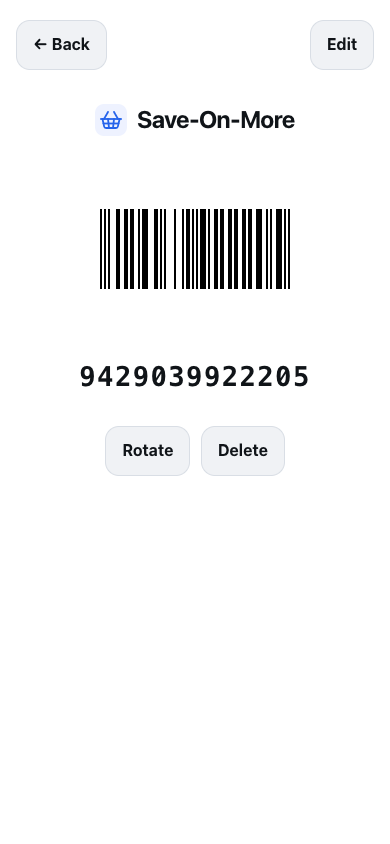
The real Save Barcode screen: a big code, a big number, full brightness.
✓ No ads
✓ No tracking
✓ Export any time
✓ Your data, on your device
HOW TO SAVE A BARCODE
Save Barcode gives you a quick place for the cards with a static barcode—the ones you need at checkout, the gym, the library, or the gate.
Point your camera at the code to save it. You can also type the barcode number for cards that are awkward to scan.
Your most-used cards stay at the top. Search the store, the card name, or the number when your brain has gone blank.
Your cards are on your phone, not waiting on a login screen. Open the saved card. Show the code. Get on with your day.
ONE LESS THING TO CARRY
Not payment cards. The everyday collection of barcodes that somehow follows you everywhere.
Groceries, coffee, and all the places you go twice.
Gyms, clubs, warehouses, and memberships.
A card number without another thing to carry.
The kind with a barcode you need right now.
Keep the little plastic tags out of the console.
UPC, EAN, Code 128, QR, and more.
A BARCODE WALLET THAT STAYS USEFUL
Use Save Barcode in a modern browser instead of being tied to one phone brand or app-store platform. Your loyalty, membership, library, and ticket barcodes stay on your device first, work without a connection, and can be exported whenever you like.
Fast by design The barcode renderer only loads when you open a card—so getting to the scanner is never a wait.
Easy to reach Search a store, card, or barcode value. Your recently used cards rise to the top.
Free to leave A plain export is built in. Your cards are not a subscription trap.
THE HONEST BITS
Save Barcode saves static barcodes. That’s a surprisingly large share of the cards in your pocket—but it is not every card.
Some apps, including Starbucks, refresh their barcode for every purchase. A screenshot or saved code is no good there, and Save Barcode won’t claim otherwise.
Older laser scanners sometimes miss a bright phone screen. That’s why Save Barcode always shows the number large underneath: the cashier can key it in when the scanner can’t.
Save Barcode is for loyalty cards, memberships, tickets, and the rest—not credit cards or tap-to-pay. It keeps that job beautifully small.
SAVE BARCODE FAQ
Short answers about what you can save, when it works, and what to bring instead.
Yes. Scan or enter the barcode from a loyalty card, then open it from Save Barcode when you are at the checkout. It is made for static barcodes that a store scanner can read from a phone screen.
Yes. Save Barcode stores membership, gym, warehouse, library, club, parking, and similar cards that use a static barcode or QR code.
Yes. Your saved cards live on your device, so you can open and show them without a signal.
Save Barcode is for everyday barcodes and QR codes, including UPC, EAN, Code 128, and similar static codes used by loyalty cards, memberships, tickets, and tags.
No. Save Barcode is browser-based, so it is not limited to a single phone brand, operating system, or app-store platform. Saved cards stay on the device you use; this does not mean cards automatically sync between devices.
No. Save Barcode is not a payment wallet. It stores scannable card and ticket codes; it does not store credit cards or provide tap-to-pay.
Rotating or one-time barcodes cannot be saved because their value changes. Very old laser scanners can also struggle with phone screens, so Save Barcode shows the card number clearly for manual entry.